
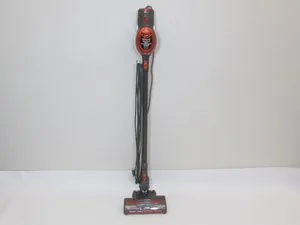
When your floor cleaning routine comes to an abrupt halt, finding that your shark rocket vacuum not spinning is a source of immediate frustration. This issue usually stems from a disruption in the mechanical power transfer from the motor to the brush roll, or a safety mechanism triggered by debris. Because the Rocket series relies on a specialized motorized floor nozzle, maintaining the integrity of these components is essential for consistent suction and agitation. Most maintenance tasks for this model are straightforward and require only basic household tools like a pair of scissors or a flathead screwdriver.
Key Takeaways
- Check for hair tangles or large debris wrapped around the brush roll.
- Inspect the electrical connection points between the wand and the nozzle.
- Ensure the vacuum is in the correct floor setting mode.
- Verify the brush roll indicator light status for red or blinking signals.
- Clean or replace clogged filters to prevent motor thermal protection shutdowns.
Safety: Inside a mains-powered machine, the parts behind the outer cover can hold a dangerous electrical charge even after it has been unplugged — that’s why they sit behind a cover. Opening the housing, or testing or replacing anything behind it, is a job for a qualified technician, never a home repair.
Fixing a Shark Rocket Vacuum Brush Roll Not Spinning
The most common reason for a non-responsive brush roll is an accumulation of hair, string, or carpet fibers that physically prevent the roller from rotating. When this happens, the vacuum’s internal sensors detect the resistance and cut power to the motor to prevent overheating or belt damage.
Start by unplugging your vacuum from the power source entirely. Use a pair of scissors to carefully slice through the hair wrapped around the bristles, then pull the debris out by hand. Avoid using sharp knives that could damage the plastic housing of the brush roll.
Is the Connection Secure?
The Shark Rocket uses a series of electrical pins in the wand and the floor nozzle to transmit power. If these pins are misaligned, dirty, or bent, the motor in the floor nozzle won’t receive the electricity it needs to spin.
Disconnect the wand from the floor nozzle and inspect the metallic contact points. If you see dust or grime buildup, wipe them clean with a dry microfiber cloth. Ensure that when you reconnect the wand, you hear a definitive “click” to confirm that the electrical bridge is fully engaged and locked into place.
| Component | Potential Fault | Maintenance Action |
|---|---|---|
| Brush Roll | Hair/String Tangle | Cut and remove debris |
| Electrical Pins | Dirt or Oxidation | Clean with dry cloth |
| Floor Nozzle | Clogged Airway | Flush with warm water |
| Wand | Loose Connection | Re-seat and lock tight |
| Motor | Thermal Overload | Wait 45 minutes to cool |
Understanding Indicator Lights
Your Shark Rocket likely features an LED indicator light on the floor nozzle that communicates the status of the brush roll. A solid green light typically indicates that the brush roll is engaged and functioning correctly. If the light turns red or begins to blink, it signifies a mechanical failure. This often indicates that the brush roll is obstructed or that the motor has encountered a significant obstacle.
If the light remains off while the vacuum is powered on, check the power switch on the handle to ensure it’s set to the “Hard Floor” or “Carpet” setting, as the brush roll doesn’t spin in the “Off” or “Hard Floor” mode on many variants.
How to Check the Belt
While many modern Shark models utilize a direct-drive motor that doesn’t require a traditional rubber belt, some variations do use an internal belt system. If you have verified that there are no obstructions and the electrical connections are clean, the internal belt may have snapped or slipped off its pulley. Accessing this requires removing the screws on the bottom plate of the floor nozzle.
Common Causes of Stoppage
- Excessive hair accumulation causing friction.
- Large objects like coins or small toys trapped in the intake.
- Thermal protection reset triggered by airflow blockages.
- Damaged or frayed internal wiring within the wand.
- Worn-out brush roll bearings.
Does Airflow Affect Rotation?
It may seem counterintuitive, but a vacuum that has poor suction often experiences brush roll issues. If your filters are heavily caked with dust, the motor may struggle to maintain the necessary airflow, which can trigger a safety sensor. Remove the foam and felt filters from the dust cup, rinse them under cold water, and allow them to air dry for at least 24 hours before reinserting them.
Resetting the Motor Protection
If your vacuum shuts off during use, it has likely entered a thermal protection mode. This is a safety feature designed to protect the motor from burning out when it detects an overload. To reset this, turn the power switch to the off position, unplug the cord from the wall outlet, and remove the floor nozzle.
Clear any blockages from the airway and clean the filters as described previously. Allow the unit to cool down for at least 45 minutes before plugging it back in and attempting to restart the motor.
Inspecting the Floor Nozzle
The floor nozzle is the most vulnerable part of the Shark Rocket system. Because it’s the point of contact with the ground, it’s prone to impacts and debris ingestion. Check the pivot point where the nozzle connects to the wand.
If the swivel mechanism is stiff or cracked, it may be pulling on the internal wiring, causing intermittent power loss to the brush roll. Ensure the wheels are also free-spinning; if a wheel is jammed, it can cause the entire assembly to drag, placing extra strain on the motor.
| Troubleshooting Step | Goal | Frequency |
|---|---|---|
| Filter Cleaning | Improve Airflow | Once per month |
| Brush Roll Clearing | Remove Tangles | Weekly/As needed |
| Connection Inspection | Verify Power | Before every use |
| Nozzle Base Wipe | Remove Grime | Every 2-3 months |
When to Call Support
If you have cleaned the brush roll, verified the electrical connections, checked the filters, and allowed the motor to cool, but the brush roll still refuses to spin, you may be facing an internal electrical failure. This could involve a faulty circuit board or a burnt-out motor.
At this stage, attempting further repairs on your own may void your warranty. Check your purchase date and documentation to see if you’re eligible for a replacement unit or professional repair service through the manufacturer.
Frequently Asked Questions
Why is my brush roll light red?
A red light on the floor nozzle indicates that the brush roll is obstructed or has encountered a significant resistance. This is a safety mechanism to prevent the motor from overheating. Immediately turn off the vacuum, unplug it, and inspect the brush roll for hair, string, or large objects. Once the obstruction is cleared, the light should return to green upon restarting the unit.
Can I replace the brush roll myself?
Yes, on most Shark Rocket models, the brush roll is a replaceable part. You’ll typically need to remove the screws on the bottom plate of the floor nozzle to access the roller. Ensure you have the correct replacement part number for your specific model, as brush rolls vary in length and bristle configuration across different versions of the Rocket vacuum.
How often should I clean the brush roll?
You should inspect the brush roll for debris after every few uses, especially if you have pets or long hair in your home. Regular maintenance prevents hair from wrapping tightly around the bristles, which can cause the bearings to seize or the motor to strain. A quick visual check takes only a few seconds and significantly extends the lifespan of your vacuum’s floor nozzle.
Is the brush roll supposed to spin on hard floors?
On many Shark Rocket models, the brush roll is designed to spin on both carpets and hard floors to help agitate dust. However, some models feature a “Hard Floor” setting that slows or stops the brush roll to prevent scattering debris. Check your vacuum’s control switch to ensure it’s set to the correct mode for the surface you’re currently cleaning.
What if the brush roll still won’t spin after cleaning?
If the brush roll remains stationary after you have removed all visible debris, cleaned the filters, and verified the electrical connections, there may be an internal mechanical or electrical issue. This could involve a broken belt, a faulty motor, or a damaged circuit board. At this point, it’s best to contact the manufacturer for professional troubleshooting or to inquire about warranty coverage options.
Conclusion
Taking the time to systematically address these mechanical and electrical points is the most effective way to restore your vacuum to full functionality. Start by performing the physical cleaning of the brush roll and the filter rinse, as these solve the majority of common issues without requiring replacement parts or professional intervention. If the problem persists after these steps, refer to your manual for specific error codes or contact the manufacturer to discuss potential warranty claims.